
Definition
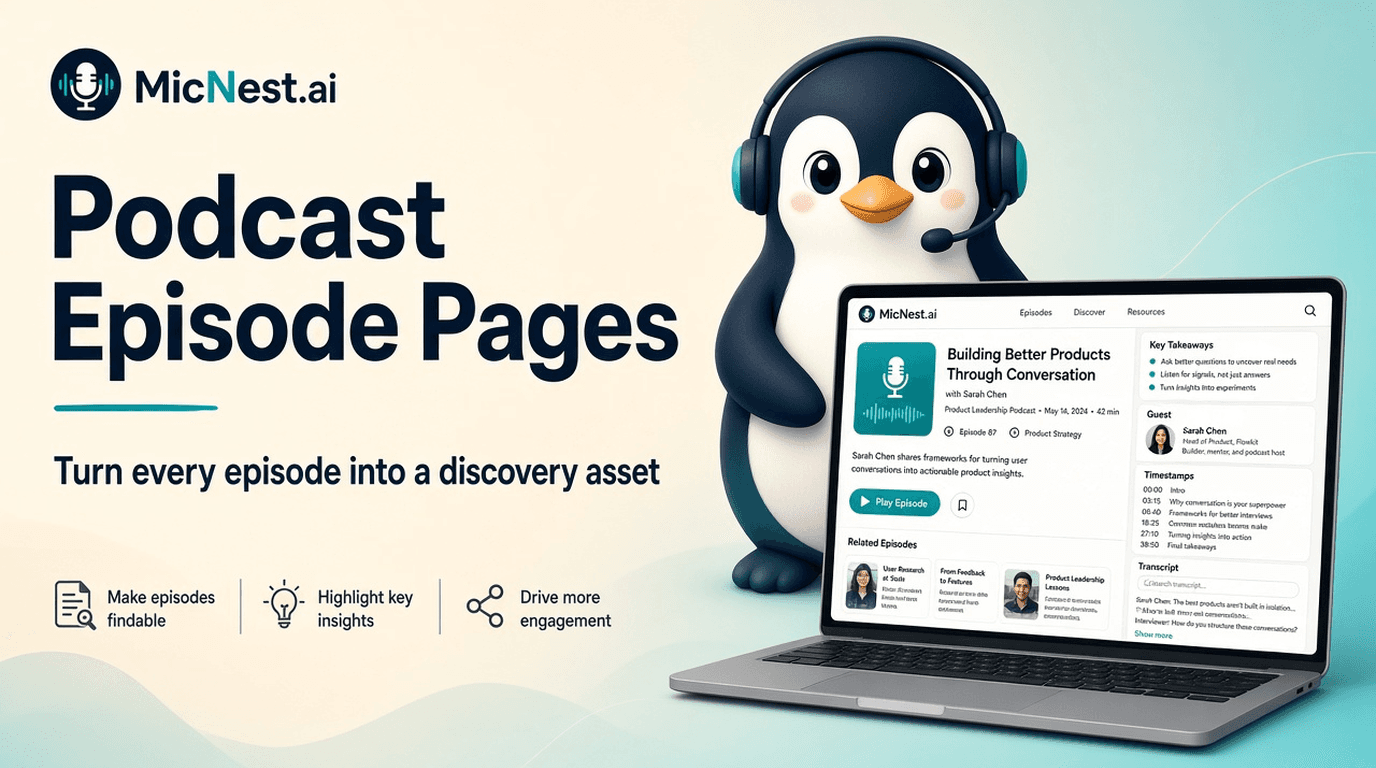
podcast episode page: A podcast episode page is a dedicated webpage for an individual podcast episode — with its own URL — where visitors can listen, read podcast show notes, explore a podcast transcript, discover guests and topics, find related episodes, and take a next step such as subscribing.
In simple terms: A podcast episode page is a dedicated webpage for an individual podcast episode — with its own URL — where visitors can listen, read podcast show notes, explore a podcast transcript, discover guests and topics, find related episodes, and take a next step such as subscribing.
Quick Answer
Start with a clear title, useful introduction, player, key takeaways, topics, guest information, timestamps, a podcast transcript, related episodes and articles, and a newsletter C
Start with a clear title, useful introduction, player, key takeaways, topics, guest information, timestamps, a podcast transcript, related episodes and articles, and a newsletter CTA. Structure beats dumping everything into one wall of text.
MicNest helps podcasters turn every episode into a discovery asset — dedicated pages, show notes, transcripts, topics, guests, related content, search, and audience tools. Start at https://app.micnest.ai/auth/signup.
Key Takeaways
- ➔ A podcast episode page turns one conversation into a permanent discovery asset.
- ➔ Dedicated podcast episode pages scale: 100 episodes can become 100 content destinations.
- ➔ Descriptive titles beat Episode 87 for new visitors.
- ➔ Podcast show notes summarize; the podcast transcript captures the full conversation.
- ➔ Topics, guests, timestamps, and related content create multiple entry points.
- ➔ Podcast SEO works better when each episode has structured, useful page content.
- ➔ Old episodes keep working when they have their own URLs and connections.
- ➔ MicNest connects episode pages with search, topics, guests, articles, and audience tools.
When you publish a podcast episode, the obvious focus is the audio — upload, title, description, done. But one conversation can hold dozens of ideas, searchable questions, quotes, topics, a guest with their own audience, and answers that stay useful for years. If all of that sits behind a play button, much of the value is hard to find. That's why every show needs a content-rich podcast episode page.
A good podcast episode page doesn't simply give someone a place to listen. It gives them a place to discover, understand, explore, and share the conversation — a core piece of a growth-focused podcast website.
What Is a Podcast Episode Page?
A podcast episode page is a dedicated webpage for an individual podcast episode.
Instead of one archive page holding everything, every episode gets its own URL — for example `yourpodcast.com/episodes/87`.
That page can contain:
- Episode title
- Audio and/or video player
- Episode description
- Podcast show notes
- Podcast transcript
- Guest information
- Topics
- Key takeaways
- Timestamps
- Related episodes and articles
- Newsletter signup
- Sharing options
The result is more than an embedded player. It becomes a permanent content asset on your podcast website.
Why Dedicated Episode Pages Matter
Imagine publishing 100 episodes.
One archive page is essentially one destination containing 100 pieces of content.
With dedicated podcast episode pages, you can create 100 destinations — and connect them:
Episode 87 → Guest: Sarah Smith → Topic: Artificial Intelligence → Related Episode: 62 → Related Article → Transcript → Newsletter
Your site starts behaving like a content library instead of a simple episode feed. That's a quieter form of podcast marketing that compounds as the archive grows.
Your Episode Title Isn't Enough
One of the most common problems is titles that only make sense to existing listeners:
> Episode 87: John Smith
Compare:
> How to Build Your First SaaS Product With John Smith
The second communicates subject, audience, value, and guest. Your podcast episode page should make the conversation understandable to someone who has never heard your show.
What Should a Podcast Episode Page Include?
1. A Clear Episode Title
Describe the conversation accurately. You can keep the episode number — but make the topic clear:
> Episode 54: How Founders Can Validate a Startup Idea
2. A Useful Introduction
Answer quickly: who is the guest, what is the conversation about, why is it useful, what topics are covered?
Example: "In this episode, we speak with a SaaS founder about validating startup ideas before investing heavily in development — customer interviews, early prototypes, product-market fit, and common testing mistakes."
3. The Audio Player
Place the player somewhere prominent. Optionally add video and links to Spotify, Apple Podcasts, YouTube, and other platforms. The website stays central while listeners choose where to consume.
4. Key Takeaways
Give visitors a fast scan of the major points before they commit to listening — three to five bullets is often enough.
5. Topics
Label themes such as Startups, SaaS, Growth, or Product Development, and link each to a collection of related episodes. That creates another discovery path across your searchable podcast archive.
6. Guest Information
Include name, short bio, company, website, social links, and other episodes featuring them. Podcast guests become another index into your library — not a one-line mention.
7. Transcript
A podcast transcript turns audio into searchable text. Visitors can scan, search phrases, read a section, find an answer, jump to a moment, and decide whether to listen. It also gives your site far more contextual content than a short description — critical for podcast SEO and seo for podcasts.
8. Timestamps
Long episodes are hard to navigate. Useful timestamps (not vague "discussion" labels) help people find specific sections. Where your player supports it, timestamps can jump to the relevant moment.
9. Related Episodes
Never let a page become a dead end. Recommend three related conversations so visitors discover older episodes they would never scroll to find in a raw archive.
10. Related Articles
Connect written content back to the podcast episode. An article can link to the episode; the episode can link back to the article. That relationship is central to turning podcast conversations into blogs and broader content repurposing.
Episode Pages and Podcast SEO
Podcast SEO isn't stuffing the word "podcast" onto a page. Search engines need enough structured, useful information to understand the content.
A detailed podcast episode page can provide:
- Descriptive title and headings
- Episode description
- Transcript
- Topics and guest information
- Related content and internal links
- Structured metadata
That's a much stronger foundation than title + player + one sentence. For the broader strategy, see our Podcast SEO Guide.
Think About the Searcher, Not Just the Listener
An existing listener may look for "Episode 87."
A new visitor may search "How do SaaS founders find product-market fit?"
Those are different discovery behaviors. Your podcast website should support both — browse for fans, idea-based discovery for newcomers. That's how a podcast episode page becomes a discovery asset, not only an archive entry.
One Conversation Can Answer Multiple Questions
A 60-minute episode might cover AI agents, costs, hiring, automation, product, support, and fundraising.
Organize those ideas:
- Transcript preserves the full conversation
- Topics categorize it
- Timestamps make it navigable
- Related content connects it
- Search makes individual ideas findable
Suddenly one podcast episode has multiple entry points.
Build a Content Graph Around Every Episode
Think of your site as a network:
Guest → Topics → Other episodes → Articles → Transcript → Search → Newsletter
The more useful connections you create, the easier exploration becomes — especially once you have hundreds of episodes and need structure beyond a chronological podcast page list.
Your Episode Pages Can Bring Old Content Back
Dedicated pages give your back catalog more discovery paths.
An episode from three years ago about hiring your first engineer can still surface through search engines, internal search, topic pages, guest pages, related episodes, articles, and social sharing — if it has a real home of its own inside your podcast archive.
Episode Pages Can Support Audience Growth
A visitor doesn't have to listen immediately. They might read show notes, scan a transcript, find a guest, or open an article. Give them a next step:
Discover episode → Read / Listen → Explore related content → Subscribe → Return
That's how how to grow a podcast moves beyond downloads alone — and how episode pages support owning your audience.
Don't Turn Every Episode Page Into a Wall of Text
More content isn't automatically better. Aim for useful structure that's easy to scan:
- Title and play button
- Short introduction
- Key takeaways
- Topics
- Guest bio
- Timestamps
- Transcript
- Related episodes
- Newsletter CTA
Different visitors can consume the same podcast episode page in different ways. For the summary layer specifically, see our guide to podcast show notes.
A Simple Episode Page Framework
```text
Episode Title
├── Guest
├── Episode Description
├── Audio / Video Player
├── Key Takeaways
├── Topics
├── Timestamps
├── Guest Profile
├── Transcript
├── Related Episodes
├── Related Articles
└── Newsletter CTA
```
Establish a consistent foundation for every episode. You can deepen the template later.
What About Show Notes?
Podcast show notes are still useful — as the summary layer.
- Show notes = summary
- Transcript = full conversation
- Related content = discovery
- Topics and guests = organization
- Search = navigation
Together, those layers turn a podcast episode page into something much more useful than notes alone.
Automating Episode Pages
Publishing regularly makes manual page-building expensive: create the page, write the description, add audio, generate a transcript, extract moments, identify topics, add guest details, find related episodes, publish.
Automation can shift the workflow from "manually build everything" toward "content system processes the episode" — with humans reviewing quality. That's especially valuable if you publish multiple episodes per week.
How MicNest Handles the Bigger Picture
MicNest is built around the idea that your podcast feed can become the foundation for a broader content platform.
Episodes can become dedicated pages. Conversations can become searchable. Content can organize around guests and topics. Episodes can generate written content. The archive can become easier to explore.
One conversation. Multiple ways to discover it.
That's the direction we're taking with MicNest — connecting the pieces instead of forcing a separate system for each one.
A Better Way to Think About Publishing
Traditional: Record → Edit → Publish → Promote → Repeat
Content-focused: Record → Publish → Understand → Structure → Connect → Discover → Grow
The episode remains the foundation. The website extracts more value from it. You're not necessarily creating more conversations — you're building more ways for people to find the ones you've already created.
Final Thoughts
Every episode represents research, recording, editing, guests, and promotion. That work shouldn't end when the audio goes live.
A dedicated podcast episode page gives every conversation a permanent home. It can make the episode easier to discover and understand, make the archive easier to navigate, connect guests, topics, articles, and older conversations, and give visitors a reason to stay connected.
Your episode isn't just an audio file. It's a piece of your podcast's growing knowledge library. Give it a page that reflects that.
Frequently Asked Questions
What is the purpose of a podcast episode page?
A podcast episode page provides a dedicated destination for an individual episode where visitors can listen, read show notes, explore transcripts, discover guests and topics, and find related content.
Should every podcast episode have its own URL?
For most content-focused podcast websites, dedicated URLs make it easier to organize the archive and create individual destinations for episodes.
Are podcast episode pages good for SEO?
They can support podcast SEO when they contain useful, well-structured information — descriptive titles, relevant content, transcripts, internal links, and appropriate metadata.
Should I put the full transcript on my episode page?
A podcast transcript can make an episode more accessible and searchable. Whether you show the complete transcript, an expandable section, or another format depends on your audience and design.
How long should a podcast episode page be?
There is no universal ideal length. Include enough useful information to explain and support the episode without unnecessary filler.
Can old podcast episodes still bring visitors?
Yes. Evergreen episodes remain useful when people can discover them through search, topic pages, guest pages, related content, and internal website search.
Turn Every Episode Into More
Your podcast already contains the conversations. Your podcast episode pages can turn those conversations into something people can discover, search, read, explore, and return to — the foundation of a podcast website built for growth.
Related Reading
Before vs after
Before
- — Episode lives as title + player + one sentence
- — Ideas stay locked inside the audio
- — Archive pages become dead ends
After
- + Dedicated pages with takeaways, transcripts, and topics
- + Ideas become searchable and shareable
- + Related episodes and articles keep people exploring
Who is this for?
Podcasters
Creators who want every episode to have a permanent, useful destination.
SEO & content teams
Teams structuring episode pages for search, show notes, and transcripts.
Show producers
Teams connecting guests, topics, timestamps, and related episodes.
Turn every episode into a discovery asset
An episode deserves more than a player. MicNest helps turn conversations into dedicated pages with show notes, transcripts, topics, guests, related content, and search.
Explore MicNest or start freeSources
- MicNest product — MicNest connects episode pages with search, topics, guests, articles, and audience tools.
Frequently Asked Questions
What is the purpose of a podcast episode page? +
A podcast episode page provides a dedicated destination for an individual episode where visitors can listen, read show notes, explore transcripts, discover guests and topics, and find related content.
Should every podcast episode have its own URL? +
For most content-focused podcast websites, dedicated URLs make it easier to organize the archive and create individual destinations for episodes.
Are podcast episode pages good for SEO? +
They can support podcast SEO when they contain useful, well-structured information — descriptive titles, relevant content, transcripts, internal links, and appropriate metadata.
Should I put the full transcript on my episode page? +
A podcast transcript can make an episode more accessible and searchable. Whether you show the complete transcript, an expandable section, or another format depends on your audience and design.
How long should a podcast episode page be? +
There is no universal ideal length. Include enough useful information to explain and support the episode without unnecessary filler.
Can old podcast episodes still bring visitors? +
Yes. Evergreen episodes remain useful when people can discover them through search, topic pages, guest pages, related content, and internal website search.

