
Definition
podcast content automation: Podcast content automation means using software, workflows, and AI to cut repetitive tasks involved in turning an episode into published and distributed content. You still own editorial judgment. The system handles the busywork after the conversation exists.
In simple terms: Podcast content automation means using software, workflows, and AI to cut repetitive tasks involved in turning an episode into published and distributed content. You still own editorial judgment. The system handles the busywork after the conversation exists.
Quick Answer
Start with transcription, episode understanding (topics, guest, key ideas), episode page structure, show-notes drafts, newsletter drafts, and social drafts grounded in the real con
Start with transcription, episode understanding (topics, guest, key ideas), episode page structure, show-notes drafts, newsletter drafts, and social drafts grounded in the real conversation. Review before you publish. The goal is a cleaner podcast publishing workflow, not a pile of generic AI posts.
MicNest helps podcasters automate repetitive work after recording — transcripts, episode pages, topics, guests, drafts, and connected content. Start at https://app.micnest.ai/auth/signup.
Key Takeaways
- ➔ Automate work around the episode, not the conversation itself.
- ➔ A weekly show turns small tasks into a real time sink over a year.
- ➔ The episode is the source of truth. Everything else should come from it.
- ➔ Transcripts unlock search, notes, quotes, articles, and drafts.
- ➔ Generate, review, edit, approve, then publish beats auto-posting everything.
- ➔ Old episodes can be processed too. The archive becomes structured.
- ➔ MicNest connects episode pages, transcripts, topics, guests, and distribution drafts.
Recording is often the fun part. Then the checklist starts: edit, description, show notes, transcript, episode page, moments, social, newsletter, topics, guest, related links, publish, promote. Next week you do it again. The conversation is not the problem. The repetitive work around it is. That is what podcast content automation is for.
You are not trying to automate podcast creativity. You are trying to stop rebuilding the same checklist by hand.
What Is Podcast Content Automation?
Instead of doing every step yourself, parts of the flow run after publish:
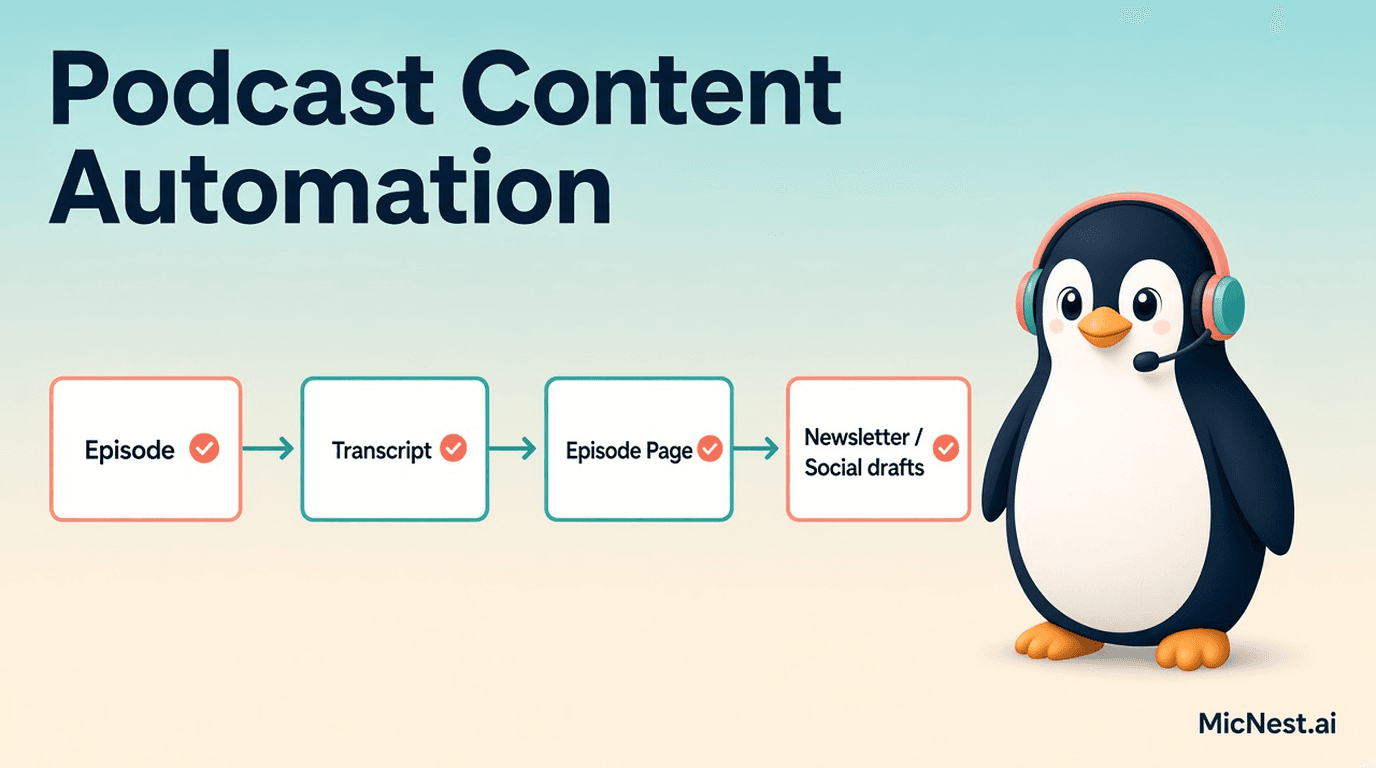
Episode published → transcript → episode page → topics + guest → key moments → newsletter draft → social drafts → related content linked
You review, edit, approve, and ship.
Automation runs the repetitive process. You stay in control of the content.
Why Publishing Gets Hard at Scale
One episode is manageable. Fifty-two a year is different.
Even rough estimates add up: show notes, formatting, social copy, newsletter writing, website updates, light organization. Exact minutes vary by show. The pattern does not. Small tasks stack until the team spends more time moving content than making it.
Traditional Workflow vs Connected Workflow
Traditional often looks like: record → edit → upload → write description → show notes → transcript → update site → social → newsletter → schedule → promote.
Each step may live in a different tool. You become the person carrying files between them.
A connected podcast publishing workflow looks more like: publish episode → content engine → transcript → episode page → topics + guest → moments → articles → newsletter → social → distribution.
You still create many formats. You create fewer manual handoffs between them.
Start With the Real Conversation
Before drafting anything, the system should know what was discussed, who was there, which topics showed up, which questions got answers, which ideas mattered, which moments are interesting, and what older content relates.
That beats asking a model for "ten social posts about this podcast" with no grounding. For why transcripts sit at the base of this, see podcast transcripts.
A Practical Step-by-Step Workflow
1. Generate the transcript
Speaker-labeled text supports search, show notes, summaries, articles, quotes, social, newsletters, chapters, and moments. One source file feeds many steps.
2. Understand the episode
Identify topics, questions, people, companies or products mentioned, major ideas, and useful sections. That becomes an internal map of the episode.
3. Create the episode page
Title, description, player, guest, topics, takeaways, transcript, timestamps, related episodes and articles. Auto-build the structure. You review it. Dedicated episode pages are where this lands on the podcast website.
4. Attach topics
If the talk covers AI agents, SaaS, support, and automation, tag those. Over time you get collections like AI → Episodes 21, 47, 83, 109. Related conversations surface without more manual sorting.
5. Connect the guest
Update the existing guest page instead of inventing a disconnected bio every time. Jane Smith → Episodes 42, 71, 103.
6. Draft show notes
A first pass from the conversation removes the blank page. You edit voice and accuracy before publish. Same idea as structured show notes.
7. Pull key moments
Insights, stories, advice, quotes, topic shifts. Those moments feed social, clips, newsletter sections, and article ideas.
8. Draft newsletter content
Example: five lessons from an early-stage SaaS talk, pulled from what was actually said. You tune the voice and approve. Details in our podcast newsletter guide.
9. Draft social content
LinkedIn, X, Instagram, quote graphics, carousel concepts, short-video captions, YouTube descriptions. Drafts save time. One generic caption pasted everywhere does not. Adapt the idea to the platform.
10. Point everything back to the episode
Posts, emails, articles, guest profiles, and topic pages should lead people home to the conversation (and often to search or related episodes). That is how content repurposing stays connected instead of scattered.
Automation Is Not Auto-Publish Everything
There is a difference between AI-generated and AI-approved.
A sane loop: AI generates → human reviews → human edits → human approves → publish.
Keep brand voice and judgment in the loop, especially for claims, guest details, and sensitive topics.
More AI Content Is Not the Goal
The better question: how do we get more value from the conversation we already made?
You do not need thirty vague posts. You need useful pieces tied to what was said.
If a guest says they spent six months building something nobody wanted, the surrounding talk matters: what they built, why they thought demand existed, what they learned, what changed. Extracting a quote without that context makes weaker summaries and social.
Fewer Tools to Juggle
Hidden cost: host → transcription → AI summary → CMS → design → email → scheduler. Each tool may be fine alone. Moving data between them is the drag.
A connected system keeps one source of truth:
Episode → transcript → guest → topics → moments → articles → newsletter → social → related content
When something updates, connected pieces stay easier to keep consistent.
Automate the Back Catalog Too
New episodes are not the only inventory. Process older shows for transcripts, topics, guests, moments, related links, and searchable text. Episode 27 from years ago can re-enter the system with remote work, hiring, leadership, and links to newer related episodes. Same idea as working your back catalog.
What to Automate First
Good early candidates: transcription, summaries, show notes, topic extraction, guest organization, timestamps, related-episode suggestions, newsletter drafts, social drafts.
Keep humans closer to: final editorial calls, brand voice, sensitive topics, important claims, guest facts, final publish approval.
Automation should support judgment, not pretend judgment is optional.
Measure Time Saved
Do not only ask how many posts AI produced.
Ask how much manual work disappeared, how fast an episode can go live, how often you review drafts instead of inventing assets from scratch, how much of the archive is structured, how many discovery paths exist, and whether creators spend more time on the actual podcast.
Better workflow beats bigger content piles. That also supports steadier podcast marketing without burning the team out.
How MicNest Approaches This
MicNest treats the podcast as the source. Process the conversation once, then reuse it across episode pages, transcripts, search, topics, guests, articles, newsletters, social drafts, and related content.
Not "let AI create your entire brand."
Let your podcast do more work for you.
Connected Publishing Beats Publish-and-Forget
Old model: publish → promote → move on.
Connected model: publish → understand → create assets → connect → distribute → learn → reuse.
Each episode strengthens the system. Each guest adds a link. Each topic opens another path. Each transcript makes the archive easier to search. Each article and newsletter gives people another way back.
Closing
You already did the hard part. You had the conversation.
Build a system around it.
Record once. Create more from it. Connect the pieces. Let the system handle the repetitive work.
That is what podcast content automation should mean: not replacing creators, not flooding feeds with generic AI text, not publishing without review. Making it easier to turn one talk into a website, searchable knowledge, newsletter, articles, social, and more.
Your podcast is the source. Your content system should do the rest.
Frequently Asked Questions
What is podcast content automation?
Using software, workflows, and AI to cut repetitive tasks involved in publishing and repurposing podcast episodes.
What can be automated after recording a podcast?
Depending on your tools: transcription, summaries, show notes, topics, timestamps, guest organization, newsletter drafts, social drafts, and website updates.
Does podcast automation replace human editors?
It does not have to. Use AI for first drafts and repetitive processing. Keep humans on important review before publish.
Can AI turn a podcast into social media posts?
Yes. It can draft platform-specific posts from the episode. Review for accuracy, context, and voice.
Can old podcast episodes be automated too?
Yes. Existing episodes can be processed into transcripts, topics, guest info, searchable content, and related assets.
What is the biggest benefit of podcast automation?
Less repetitive manual work, and more of each episode's value usable across formats and channels.
Turn One Conversation Into a Content Engine
Your podcast already gives you the raw material.
MicNest helps connect what comes after:
Episode → Transcript → Website → Search → Articles → Newsletter → Social → Audience
Build the system once. Stop rebuilding the checklist every week.
Related Reading
Before vs after
Before
- — Every episode restarts the same manual checklist
- — Creators copy content between disconnected tools
- — Archive stays unstructured after publish
After
- + Transcript, page structure, and drafts generate from the episode
- + Humans review and approve instead of starting from a blank page
- + Old episodes can be processed into topics, guests, and search
Who is this for?
Podcasters
Creators who want less manual work between publishing and distribution.
Content & marketing teams
Teams building repeatable workflows from episode to website, email, and social.
Show producers
Producers organizing transcripts, show notes, topics, guests, and related content.
Turn one conversation into a content engine
Podcast content automation handles repetitive work after recording so creators can review drafts instead of rebuilding every asset by hand. MicNest connects episodes to transcripts, pages, topics, guests, and distribution.
Explore MicNest or start freeSources
- MicNest product — MicNest connects episodes to transcripts, pages, topics, guests, and distribution drafts.
Frequently Asked Questions
What is podcast content automation? +
Using software, workflows, and AI to cut repetitive tasks involved in publishing and repurposing podcast episodes.
What can be automated after recording a podcast? +
Depending on your tools: transcription, summaries, show notes, topics, timestamps, guest organization, newsletter drafts, social drafts, and website updates.
Does podcast automation replace human editors? +
It does not have to. Use AI for first drafts and repetitive processing. Keep humans on important review before publish.
Can AI turn a podcast into social media posts? +
Yes. It can draft platform-specific posts from the episode. Review for accuracy, context, and voice.
Can old podcast episodes be automated too? +
Yes. Existing episodes can be processed into transcripts, topics, guest info, searchable content, and related assets.
What is the biggest benefit of podcast automation? +
Less repetitive manual work, and more of each episode's value usable across formats and channels.

